

1 Install the app
- You can download the FruKari app from:
- App Store (Ios)
- Google Play (Android)
- System requirements:
- iOS 12.0
- Android 7.0
2 Not receiving notifications
- Check:
Step 1: Set up notification permissions in the «Settings» section of your phone.
Step 2: In the app, go to Settings > Notifications to check if it is enabled.
Step 3: Check if the «Do Not Disturb» or battery saving mode is enabled on your device.
3 Change language
- System requirements:
- Steps:
Step 1: Open the Frukari app, Tap Menu

Step 2: Tap «Language».
Step 3: Select the display language.

Figure 1. Select Menu
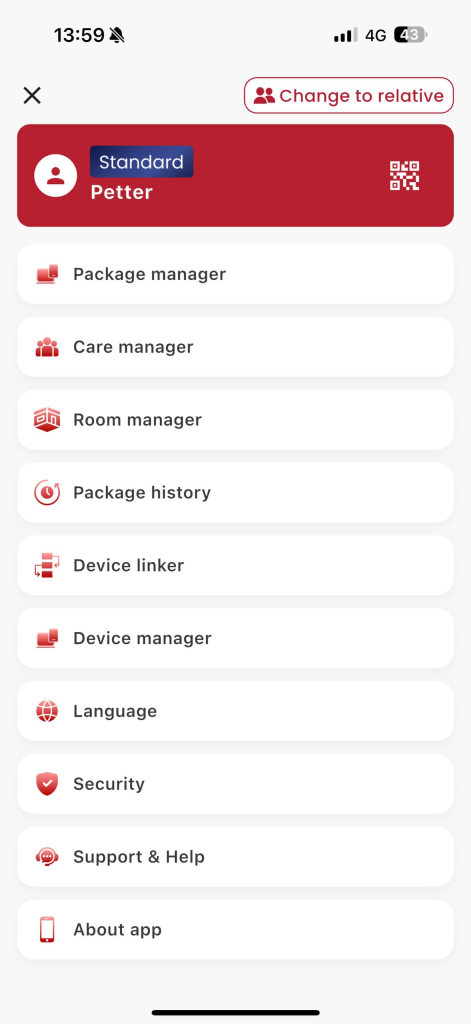
Figure 2: Select the «Security» item.
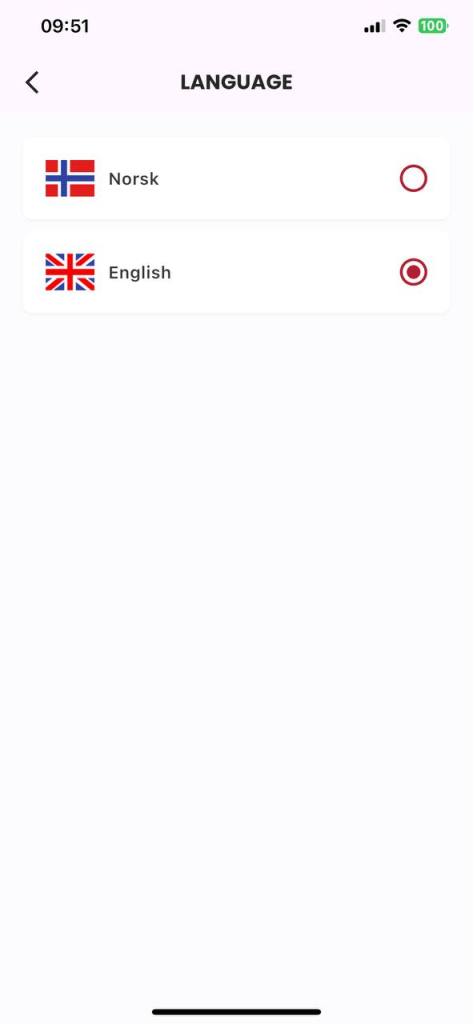
Figure 3. Select the display language
4 How to update to the latest version?
You can check manually on the App Store or Google Play.